- JavaScript 81.4%
- Python 12%
- HTML 6.6%
| Filename | Latest commit message | Latest commit date |
|---|---|---|
| .github/workflows | ||
| examples | ||
| markdown-importer | ||
| submission | ||
| tests | ||
| verification | ||
| .gitignore | ||
| build.py | ||
| CHANGELOG.md | ||
| LICENSE | ||
| package.json | ||
| README.MD | ||
| TRANSLATING.MD | ||


Markdown Importer


Import standard Markdown files into Publii 0.48.1 or later as editable draft posts. Markdown source is preserved for further editing in Publii's Markdown editor.
The plugin is called Markdown Importer. This repository is named publii-markdown-import.
Download
Download Markdown-Importer-1.1.0.zip from the latest release.
Use the plugin ZIP for installation. The source archive and GitHub's automatically generated source downloads are not plugin installation packages.
Screenshots
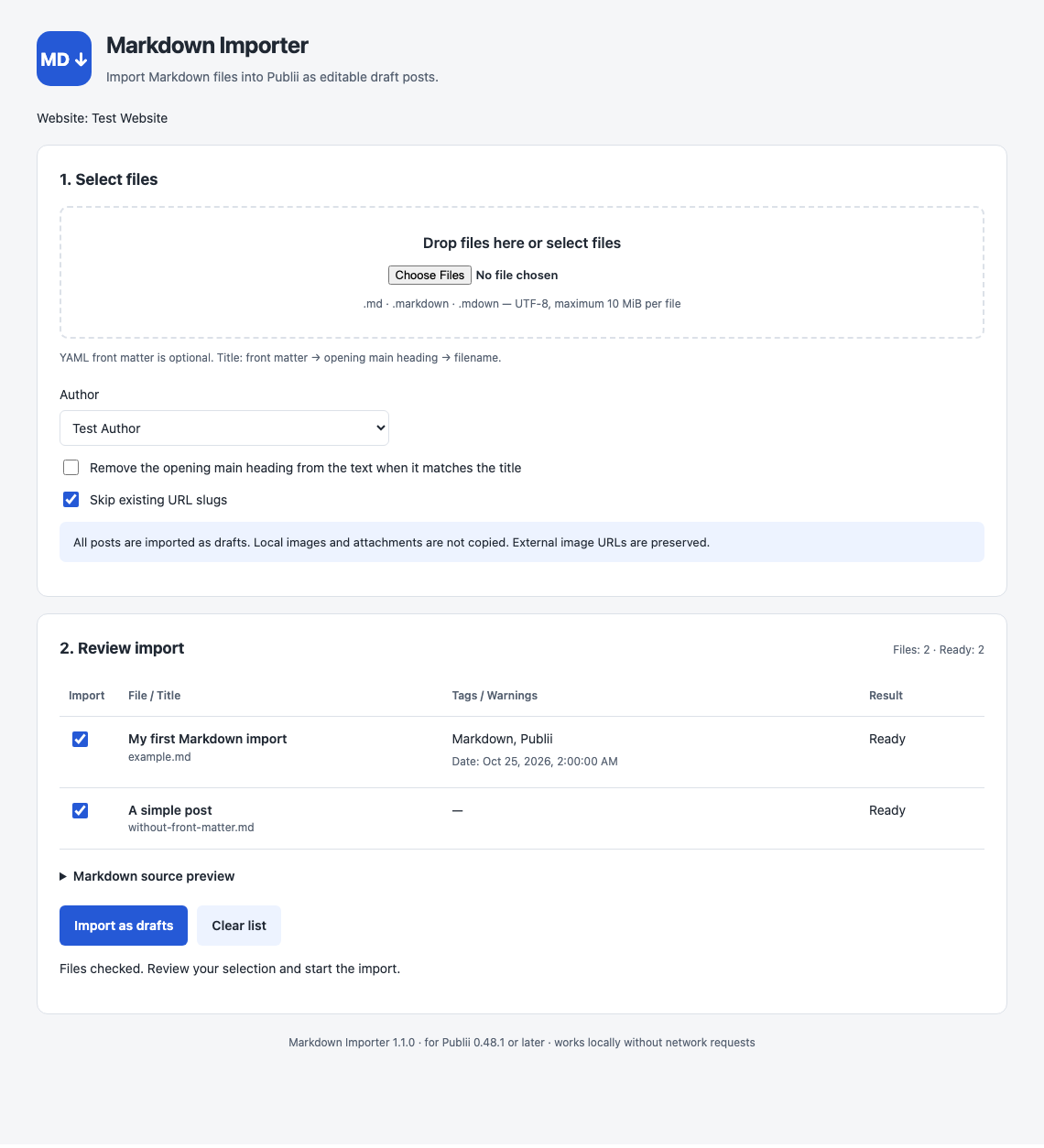
The English interface in version 1.1.0 is shown below. The plugin automatically follows Publii's interface language. These current previews are captured by the browser test using a simulated Publii connection.
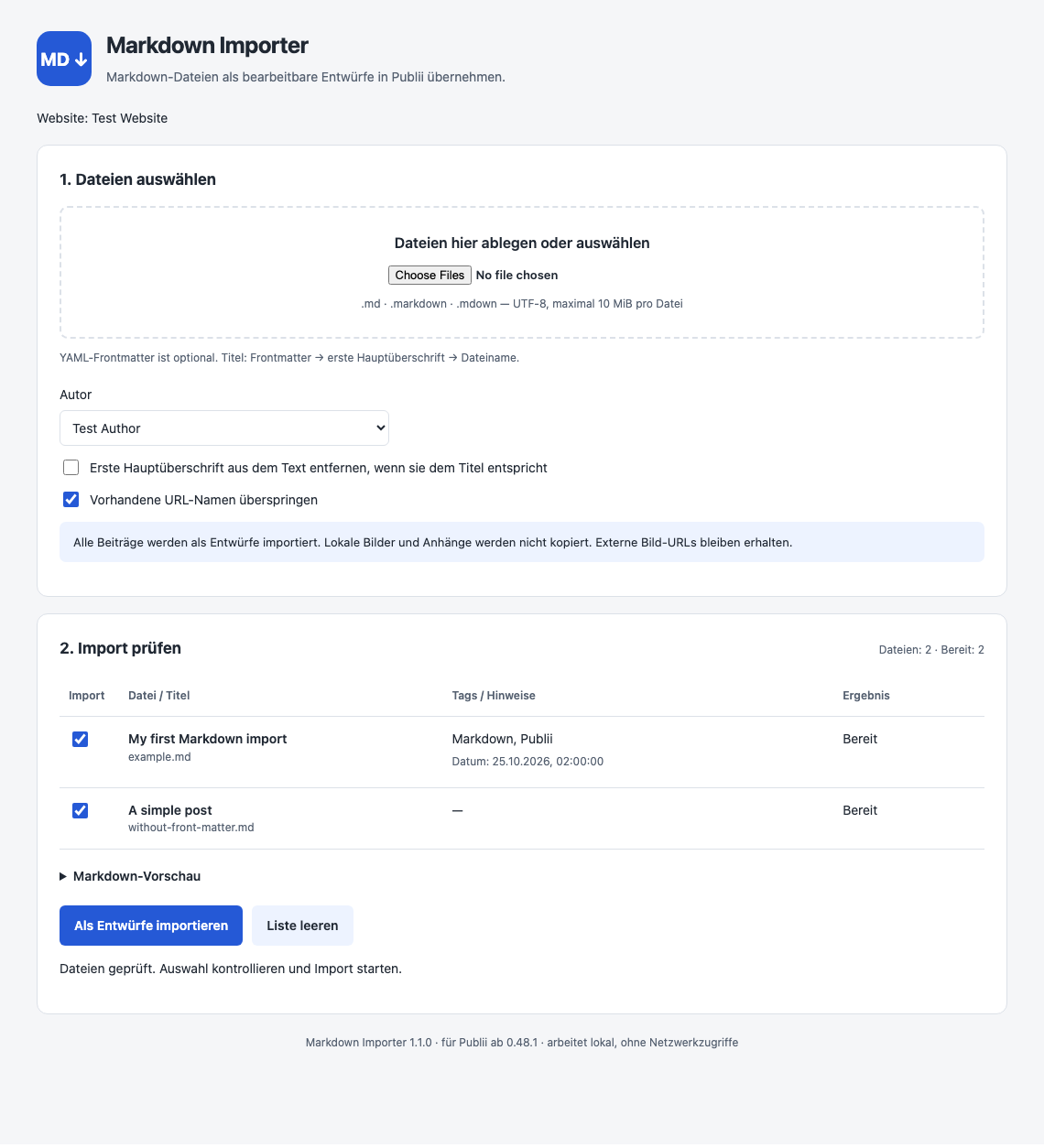
Current German interface preview
Original application screenshots: version 1.0.0 (historical German interface)
These original screenshots were supplied by the author from the running Publii application. They retain their nominal 144 dpi resolution metadata and document the earlier version; they have not been translated or altered.
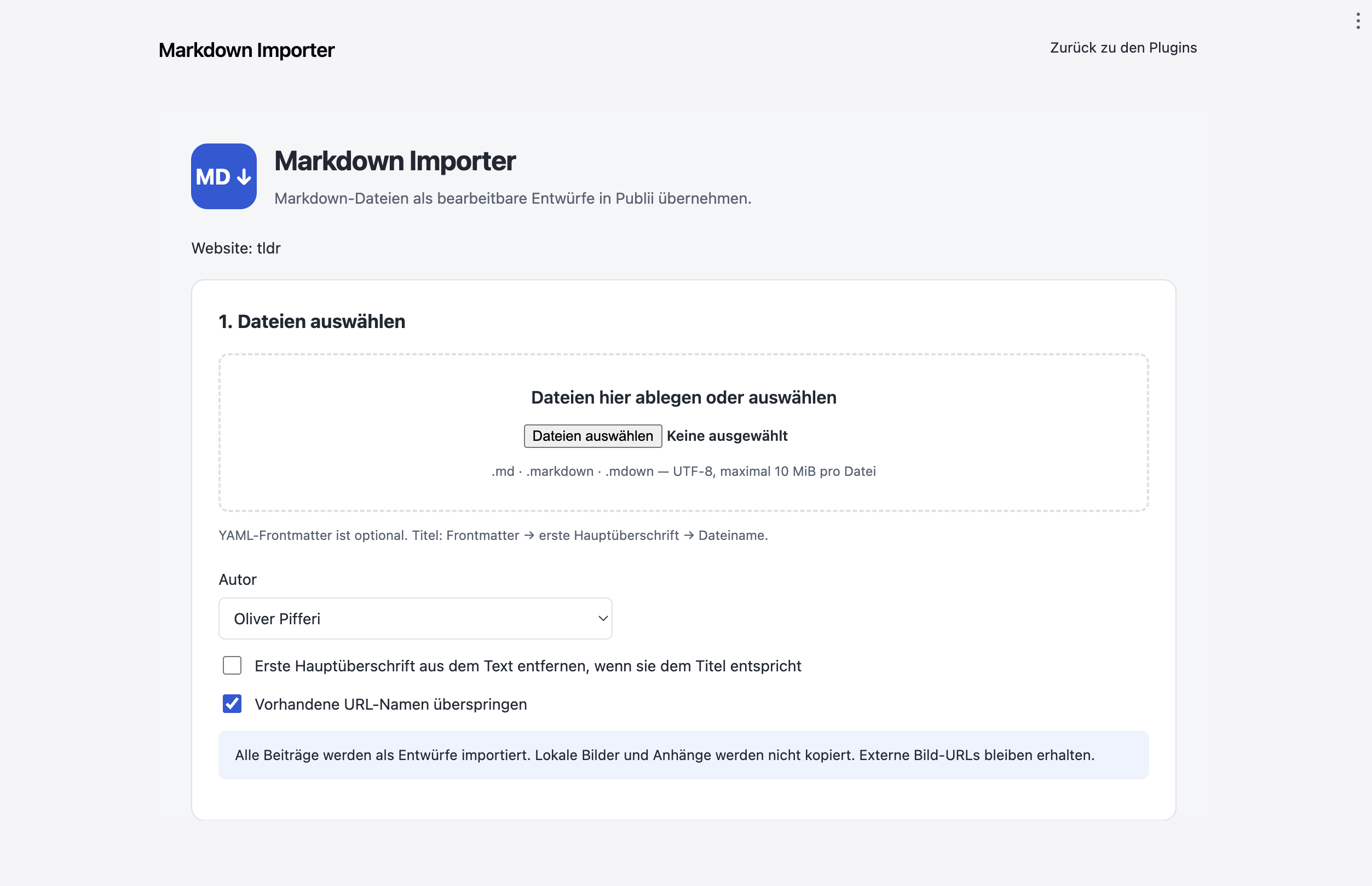
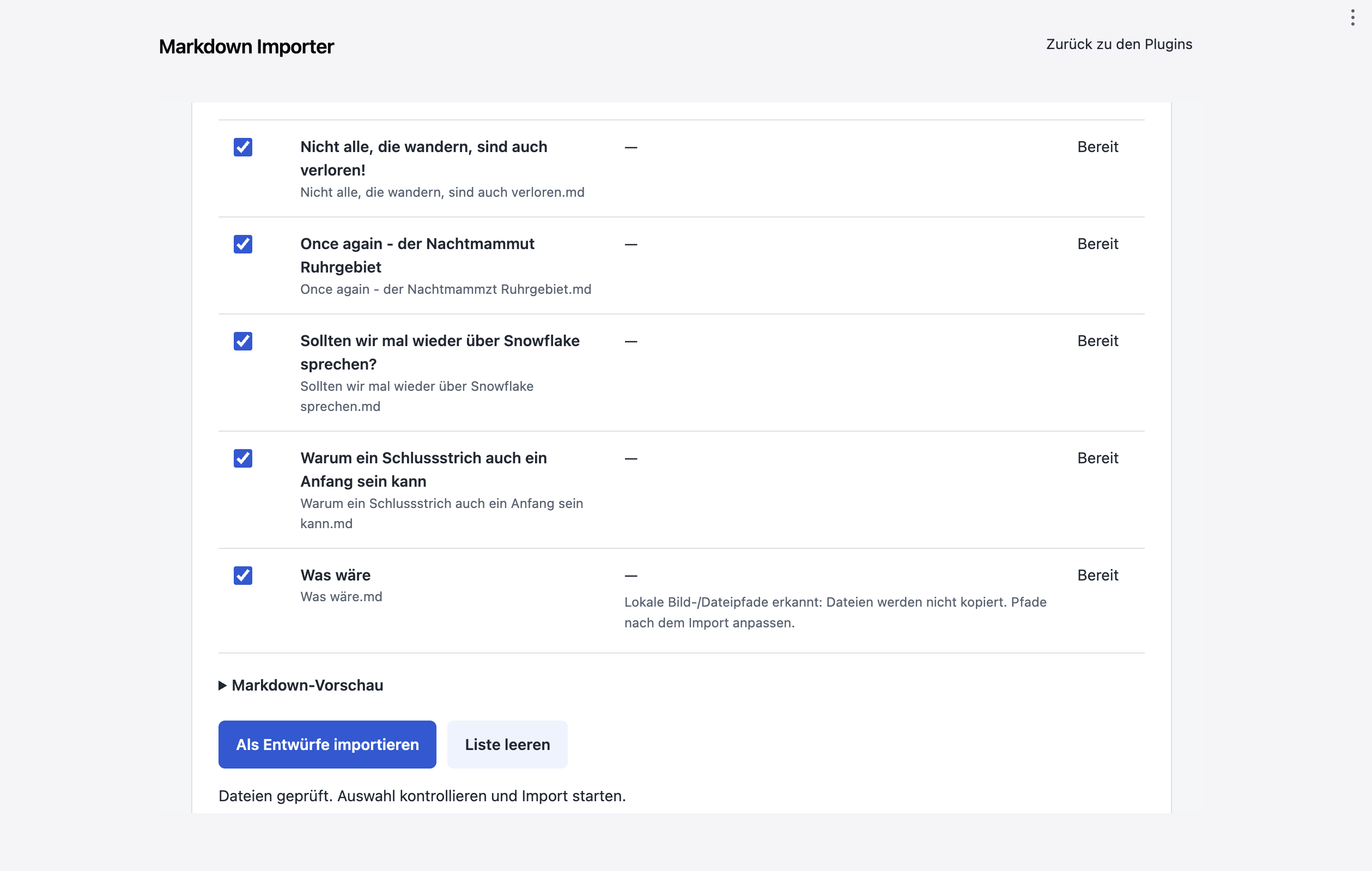
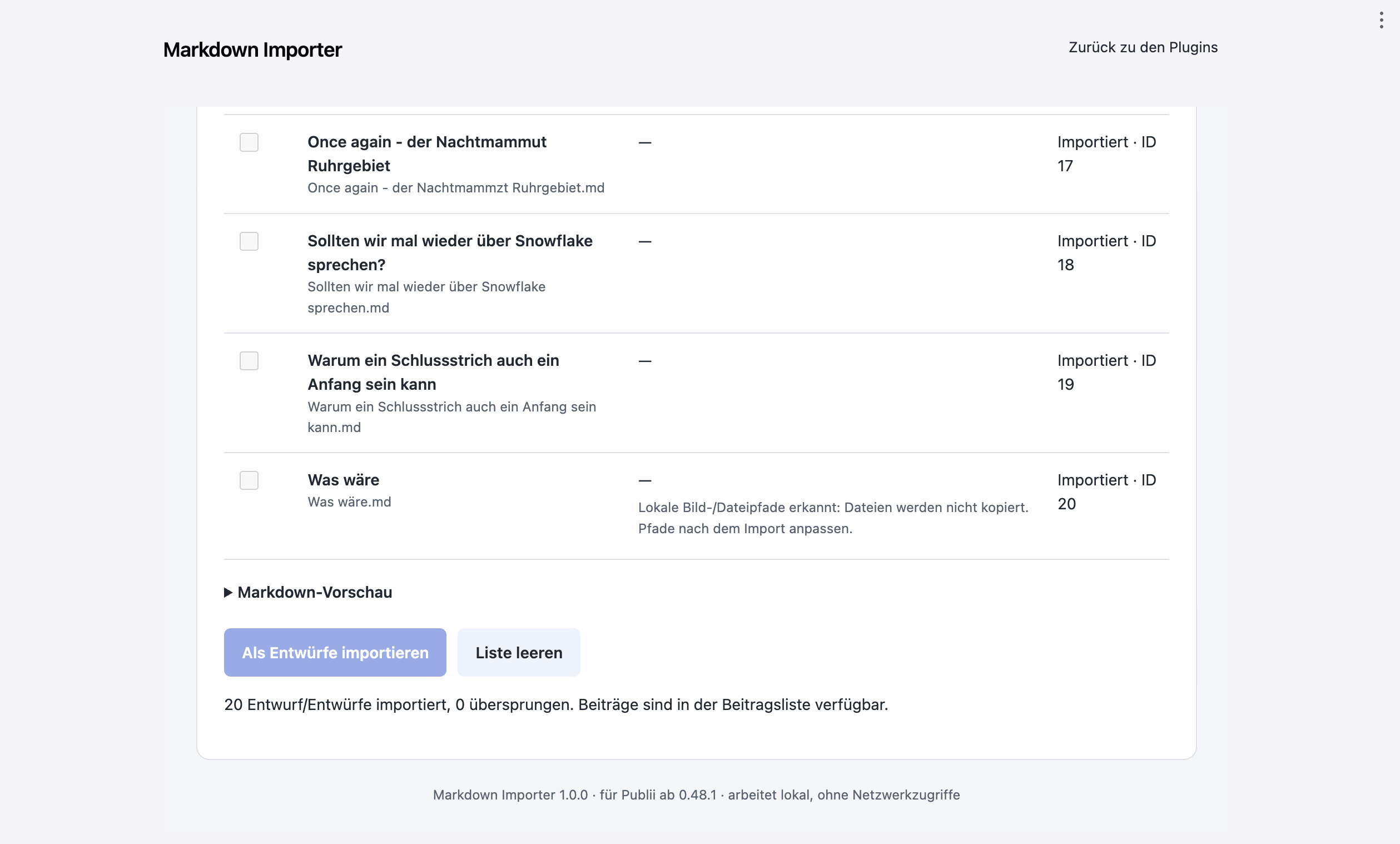
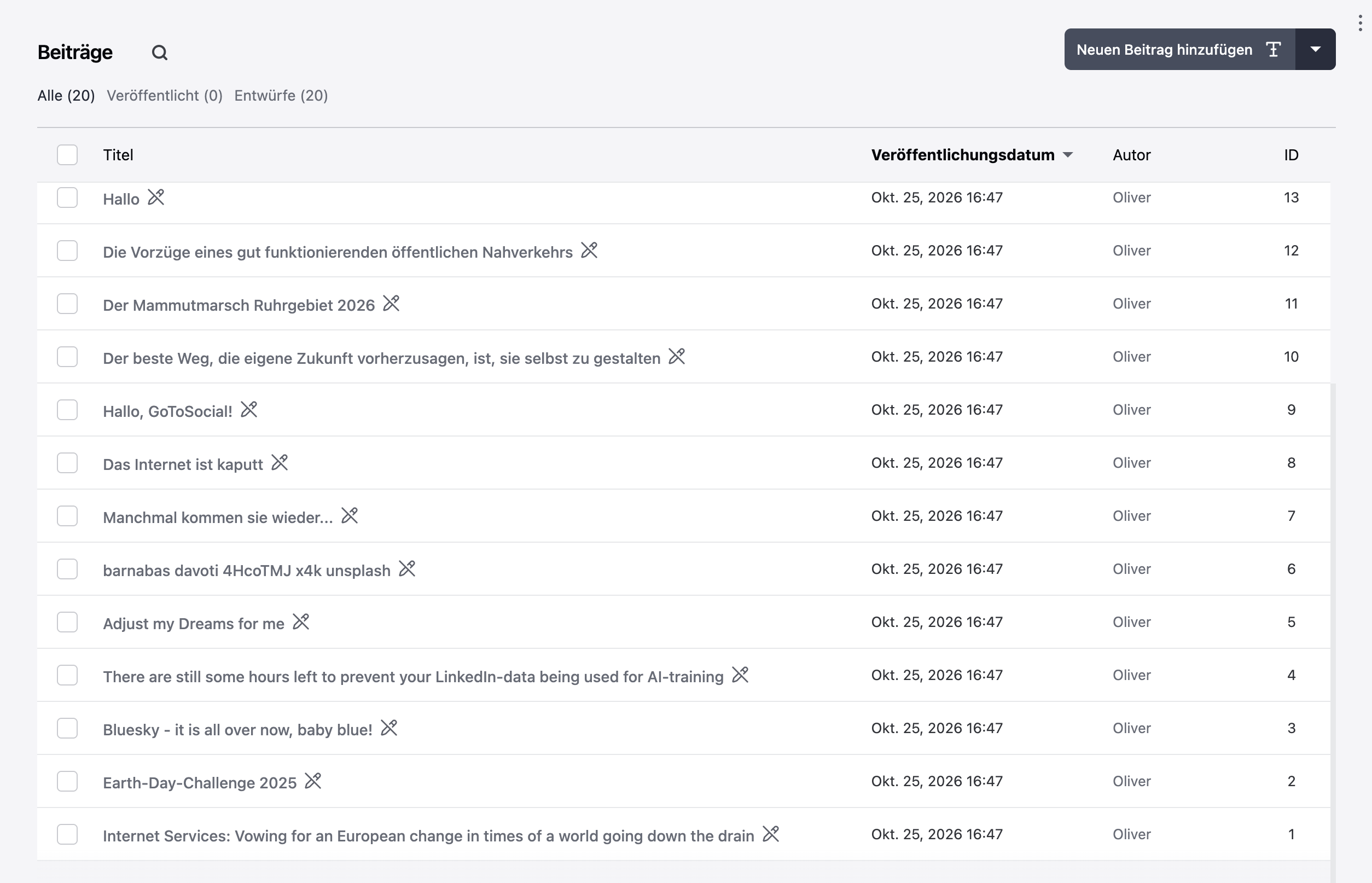
The submission materials include the original screenshots, marketplace icon, and a short English description with a feature list.
Installation
- Open Publii's application menu, then select Plugins → Install Plugin.
- Select Markdown-Importer-1.1.0.zip without extracting it.
- Open the target website.
- Find Markdown Importer under Tools & Plugins, enable it, and open its settings.
- Select one or more Markdown files, or drag them into the file selection area.
- Select an existing Publii author and review the detected titles, tags, dates, and warnings.
- Click a title to preview the Markdown source.
- Optionally enable removal of the opening main heading when it matches the post title. By default, the heading is preserved.
- Start the draft import and keep the plugin view open until it finishes.
- Open the imported posts from Publii's post list, review them, and publish when ready.
Interface language: follows Publii's application language automatically. English and German are included, with English as the fallback for unsupported languages and missing translations. Regional variants such as de-DE and de-AT are recognized. Native file-picker controls follow the operating system's language; imported content stays unchanged.
No additional runtime installation is required. Node.js and Python are only needed for development and packaging.
Language support
The plugin reads Publii's active application language from its Vue I18n locale. Labels, messages, validation errors, warnings, results, and date formatting follow that locale, including changes while the plugin view is open. The website's content language does not control the interface.
Translations are maintained independently in options/locales, one JSON file per language. Additional languages can be added without editing plugin logic; missing messages use English. All catalogs are bundled locally.
See TRANSLATING.MD for the file format, placeholders, validation, and packaging steps. The manifest description and source comments remain English.
Features
-
Automatic matching of Publii's interface language, with English and German catalogs and English fallback.
-
Multiple-file selection and drag-and-drop for .md, .markdown, and .mdown files.
-
UTF-8 with or without a byte-order mark; Windows and Unix line endings.
-
Optional YAML front matter.
-
Markdown source retained in Publii's Markdown editor.
-
Post titles taken from front matter, the opening main heading, or the filename.
-
Author selection from existing authors on the target website.
-
Tags, publication dates, descriptions, and custom slugs from supported front matter.
-
Draft-only imports, regardless of any publication status in the source.
-
Existing slugs skipped by default, including duplicates within the same batch.
-
Per-file validation and import results.
-
Local processing with no plugin network requests or telemetry.
The importer creates new posts. It does not update or overwrite existing posts. When duplicate skipping is disabled, Publii adds a suffix to conflicting slugs.
Supported front matter
Front matter must appear at the beginning of the file, start with a line containing three hyphens, and end with another three-hyphen line or a line containing three dots.
| Field | Imported value |
|---|---|
| title | Post title. Falls back to an opening ATX or Setext level-one heading, then the filename. |
| slug | Requested URL slug, normalized by Publii. Falls back to the title. |
| date | ISO calendar date or ISO timestamp. |
| published | Alternative date field when date is absent. Boolean values are not treated as dates. |
| description | Post meta description. |
| excerpt | Alternative description when description is absent. |
| tags | YAML list or comma-separated string of tag names. |
| categories | Additional tags, merged with tags and deduplicated. |
---
title: "My first imported post"
slug: my-first-imported-post
date: 2026-10-25T10:00:00+01:00
description: A short description of the post.
tags:
  - Markdown
  - Publii
categories:
  - Tutorials
---

# My first imported post

This **Markdown** remains editable in Publii.

## A section

- First item
- Second item
A file without front matter works as well:
# A simple post

The opening heading supplies the title.
Calendar dates use the YYYY-MM-DD format. For timestamps, include Z or an explicit UTC offset when the time must be unambiguous. A timestamp with a time but no offset uses the system's local timezone. A date-only value is parsed as UTC midnight.
The repository includes sample files.
Limits and unsupported features
- Maximum 500 files per import list.
- Maximum 10 MiB per file.
- Maximum 64 KiB of YAML front matter.
- Input must be valid UTF-8. Invalid files are marked individually; valid files can still be imported.
- Local images, attachments, and featured images are not copied. Relative references remain in the Markdown and must be adjusted in Publii. The importer warns about common relative image and reference paths; this is not a complete Markdown link analysis.
- External image URLs remain unchanged.
- Links to other imported .md files are not rewritten to Publii URLs.
- Posts are supported; hierarchical pages are not.
- No recursive folder import or ZIP import.
- Front-matter author values are replaced by the author selected in the importer.
- Front-matter status and draft values do not control publication. Every imported post is a draft.
- Template, layout, custom fields, and featured-image metadata are not imported.
- TOML and JSON front matter, MDX, Obsidian-specific syntax, and other system-specific extensions are not interpreted.
- The preview shows source text. Rendering support for Markdown extensions is determined by Publii and the active theme.
Each post is saved separately. If an import fails partway through, completed drafts remain available. If Publii does not confirm a save, the importer stops further writes. Check the post list before attempting another import.
Compatibility and implementation
The custom interface uses Publii's plugin settings mechanism, usePluginSettingsView. Imports use the existing internal app-post-save communication channel and the current website from Publii's Vue store.
Posts are saved through Publii's own post class. The plugin does not directly write SQL or modify the WordPress importer.
The internal integration may change in future Publii releases. The reference version and actual backend test target are Publii 0.48.1 on macOS. The plugin checks for the required connection before allowing an import. Earlier versions are not advertised as supported.
Public references:
Development
Requirements
- Node.js 18 or later for core tests.
- Python 3.9 or later for packaging.
- Playwright with Chromium for optional browser tests.
- An installed copy of Publii for optional native integration tests.
All plugin runtime files are bundled, including js-yaml 4.1.1. No package installation is needed to run the core tests or build the archives.
Core tests
npm test
The JavaScript suite covers Markdown preservation, front matter, Unicode, dates, malformed input, duplicate handling, draft payloads, concurrent imports, uncertain save outcomes, locale detection, regional variants, per-key fallback, and language switching.
Translation build validation is tested separately:
python3 -m unittest discover -s tests -p 'test_*.py'
python3 build.py --check-locales
Build packages
python3 build.py
The build creates:
dist/
  Markdown-Importer-1.1.0.zip
  Markdown-Importer-1.1.0-Source.zip
  SHA256SUMS.txt
The installer has exactly one top-level directory, markdown-importer, and includes the manifest, runtime files, documentation, and license notices. Archives use deterministic metadata and are checked for ZIP integrity.
Optional browser tests
Install Playwright and its Chromium headless browser:
npm install --no-save --package-lock=false playwright
npx playwright install chromium --only-shell
node tests/browser.test.cjs
PLAYWRIGHT_MODULE may point to an existing Playwright installation. PLAYWRIGHT_BROWSERS_PATH may specify a browser cache directory.
The browser test uses a simulated Publii store and communication bridge. It checks English/German detection, live language switching, regional variants, English fallback, translated errors, preserved source content, file selection, draft imports, duplicate handling, invalid UTF-8/YAML, safe display of HTML/script text, and the guard against use outside Publii.
Optional native Publii integration test
Build the plugin first, then run the test using Publii's bundled Node runtime. On macOS with the default installation path:
python3 build.py
ELECTRON_RUN_AS_NODE=1 /Applications/Publii.app/Contents/MacOS/Publii tests/publii-integration.cjs
Set PUBLII_ASAR if app.asar is installed elsewhere.
The test uses Publii's actual ZIP extractor, plugin loader, post class, and native SQLite library. It creates a temporary test website, verifies the saved posts and duplicate behavior, then removes that temporary website. It does not modify existing websites.
Verification status
- 37 JavaScript tests and 7 translation build-validation tests passed.
- Browser interface tests passed for version 1.1.0, including English/German selection, live switching, fallback, and generated previews.
- Native backend and plugin package checks for version 1.1.0 passed against Publii 0.48.1.
- Author-supplied screenshots show version 1.0.0 installed and running in Publii, a completed import of 20 drafts with zero skipped files, and the resulting 20 drafts in Publii's post list. This provides application-level evidence for the manual import workflow; the images do not inspect every post's content or subsequent editor save operations.
- Windows and Linux have not been independently tested.
See the test report for the recorded scope and limits.
GitHub Actions runs JavaScript and translation-validation tests, checks the generated locale bundle, builds the packages, and uploads the resulting artifacts on pushes and pull requests.
License
The plugin, documentation, examples, and project code are released under the MIT License.
The bundled js-yaml parser is also MIT-licensed. Its original copyright and permission notice is preserved in js-yaml.LICENSE.